This release lets learners complete file-based assignments directly inside courses, and resolves a set of issues across journeys, learning teams, and insights.
TABLE OF CONTENTS
Assignment activities in courses
Courses can now include assignment pages, where learners submit a file as part of the activity. This aims to keep file-based work inside the normal course flow, instead of handling submissions by email outside the platform.
For admins
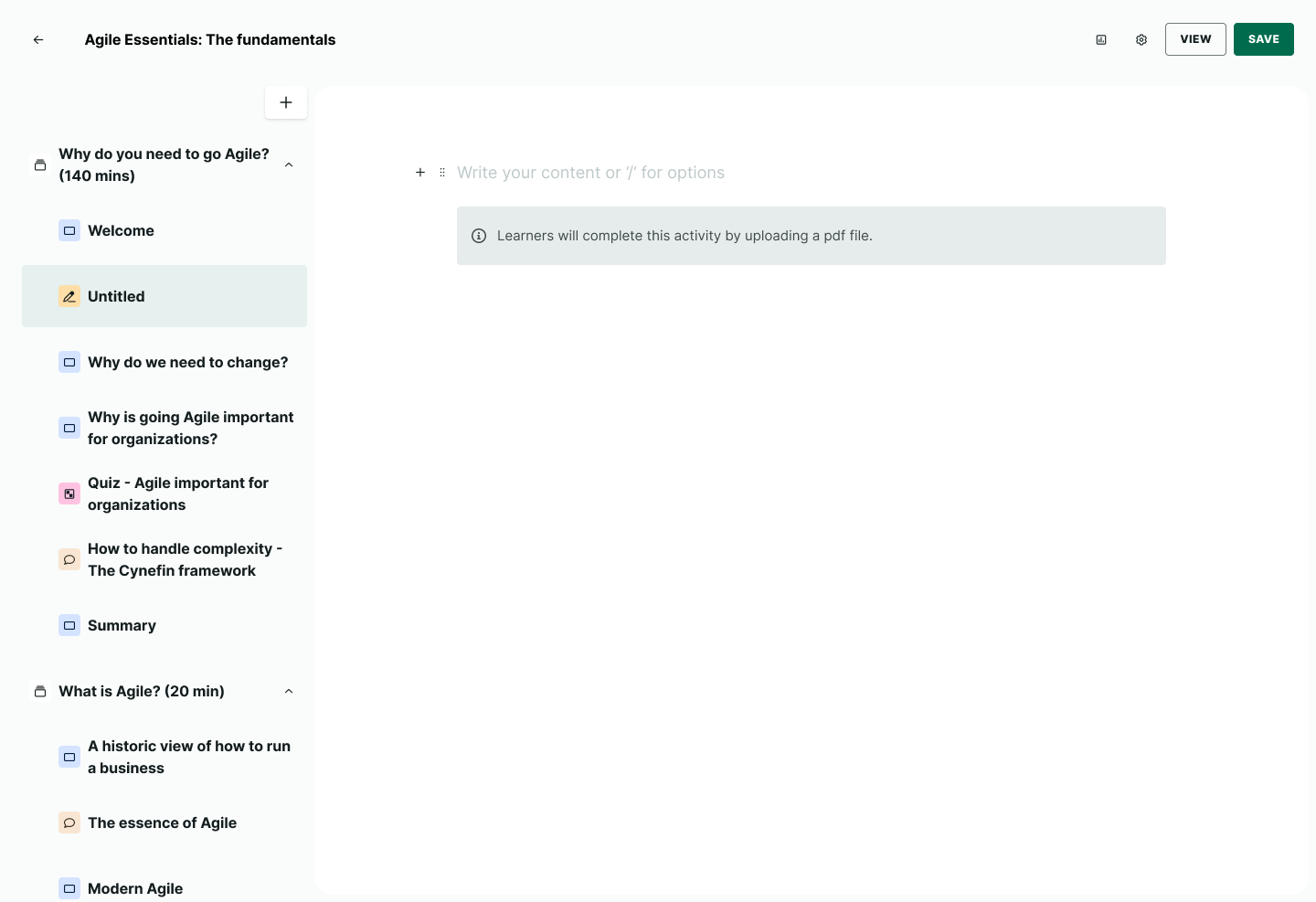
The admin adds an assignment page to a course the same way as any other page type.
The page shows a banner that tells learners to upload a PDF file. The admin writes the page content above the banner.
The admin can rename, duplicate, or delete an assignment page. If the admin edits a page after learners have submitted, learners who already completed the activity stay completed, and learners who have not yet completed it see the updated content.
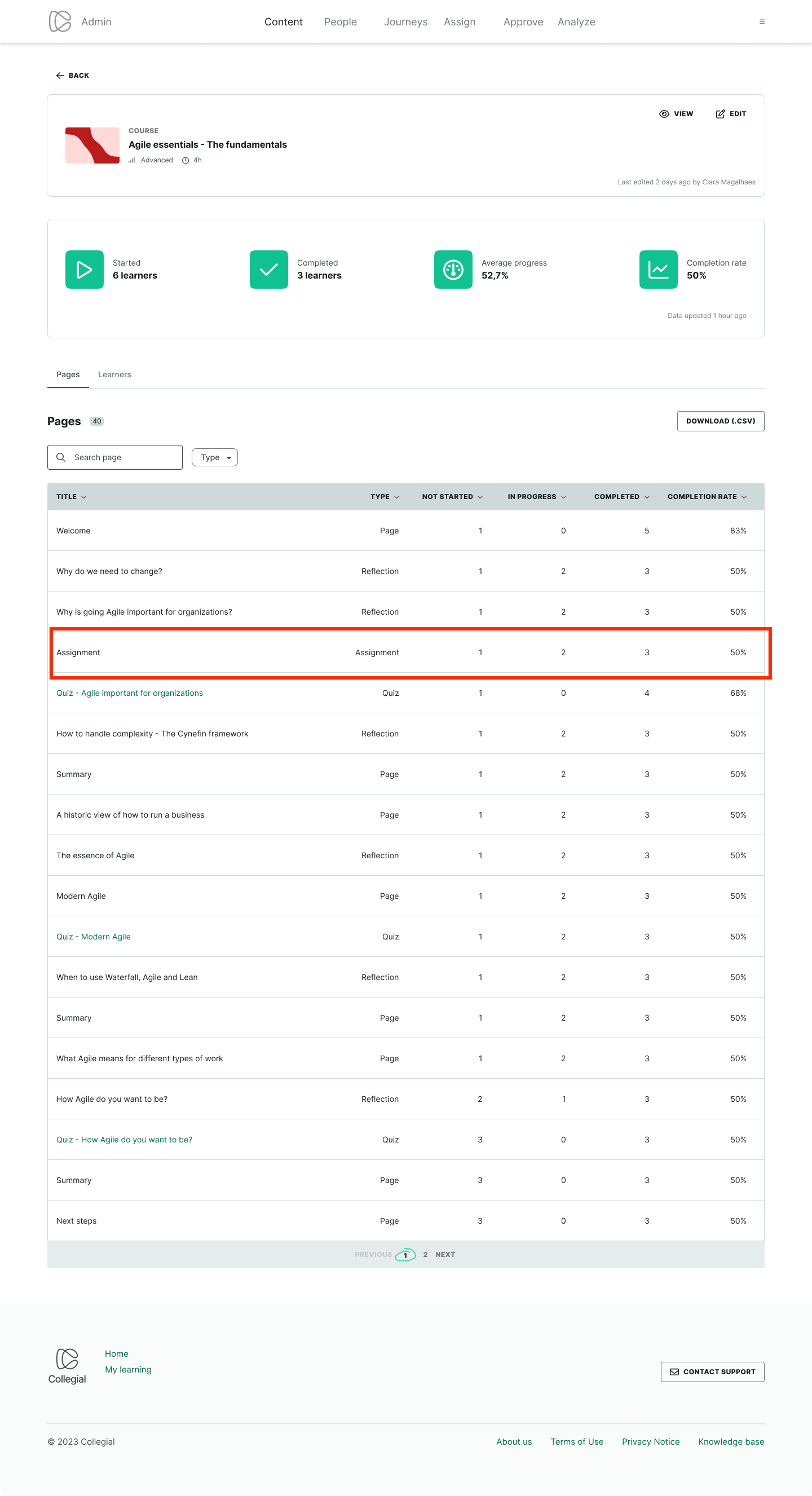
In Course Insights, the pages table now shows assignment pages, with counts for not started, in progress, completed, and completion rate. Admins can download a CSV of this data from the same table.
For learners
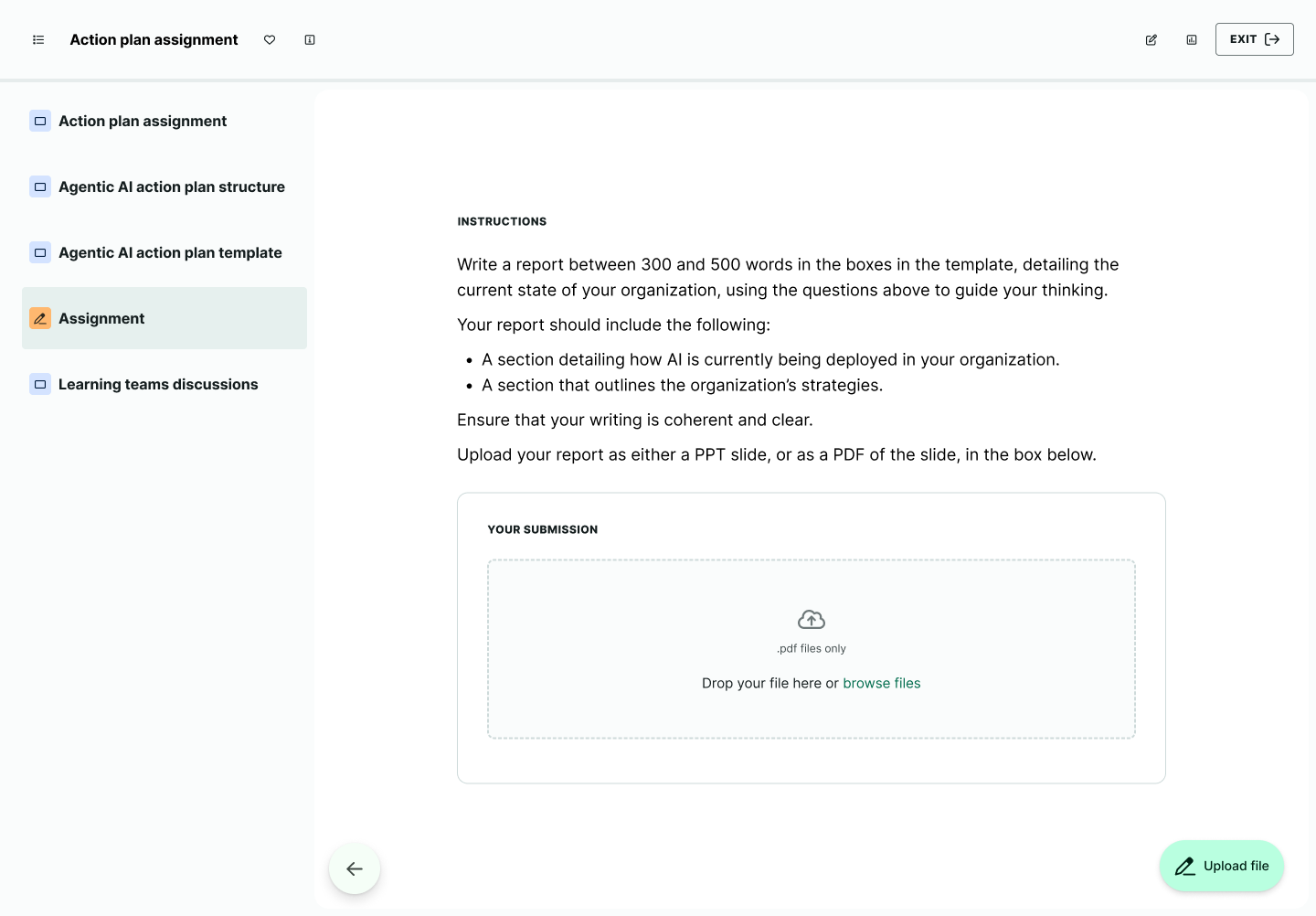
Learners complete the assignment inside the course, through a submission box with drag-and-drop or “Browse files”.
Before submitting, learners can view, replace, or remove the file. Learners complete the activity only after they select “Submit”. The platform accepts PDF files up to 200MB.
Bug fixes
Since the September release, we’ve also resolved the following:
Admin fixes:
- Fixed an error that stopped admins uploading a participant CSV on the People page.
- Fixed a 404 error and an “internal error” message that appeared after repeated navigation between the journey items editor and its edit view.
- Fixed a mismatch where a live event showed a different time in the edit view than on the journey card.
- Fixed the reset confirmation dialog in Learning teams setup so screen readers correctly identify it as a dialog.
- Fixed the team size selector in Learning teams setup so screen readers announce what it represents.
- Fixed Learning teams confirmation messages so every import, reset, or error shows its own message, not only the first one in a session.
- Fixed the upload file modal (People > Users > Invite) so the close button shows a visible focus indicator and the Escape key closes the modal.
- Fixed an error that stopped some partner courses from opening in Insights or being added to a journey.
- Fixed Course Insights so completion numbers reflect learners’ actual progress instead of showing 0.
- Fixed assignment groups so they stay unpublished after an admin turns off Published and saves.
- Fixed an error that stopped admins downloading the learners CSV from the Path Learners tab.
- Fixed “Last activity” for live events, webinars, and seminars so it reflects the learner’s own actions instead of admin actions.
- Fixed an issue where a long section description overflowed the section card and blocked the section menu.
- Fixed an error that blocked saving a Learning teams move when the recipient team was already full.
Learner fixes:
- Fixed the Journey progress box so the course image matches the one shown in the section, and the “Start” / “Continue” button responds when selected.
- Fixed certificates so learner names with special characters (for example, Lithuanian diacritics) display correctly.
- Removed a leftover “Contact support” button that still appeared on the logged-out start page footer.
Was this article helpful?
That’s Great!
Thank you for your feedback
Sorry! We couldn't be helpful
Thank you for your feedback
Feedback sent
We appreciate your effort and will try to fix the article