Release date: June 29, 2026
This release improves keyboard accessibility across the platform. Learners who navigate by keyboard or use assistive technology can now move through the navigation bar, complete courses, interact with modals, and use the home page carousel without a mouse.
TABLE OF CONTENTS
Accessibility improvements
- The navigation bar is now fully keyboard operable. All menus and dropdowns can be opened with Enter or Space, closed with Escape, and navigated with arrow keys. The search field now shows a visible focus indicator when active.
- Course navigation is now keyboard operable. Modules and page items in the navigation panel are reachable via Tab and activatable with Enter, including the expand and collapse controls. The floating action button is also reachable and activatable by keyboard.
- When a modal opens, focus moves into it and is contained there. Tab and Shift+Tab cycle only through elements inside the modal. Pressing Escape closes the modal and returns focus to the element that triggered it.
- Carousel navigation buttons on the home page are reachable via Tab, show a visible focus indicator, and advance the carousel when Enter is pressed.
Next improvements
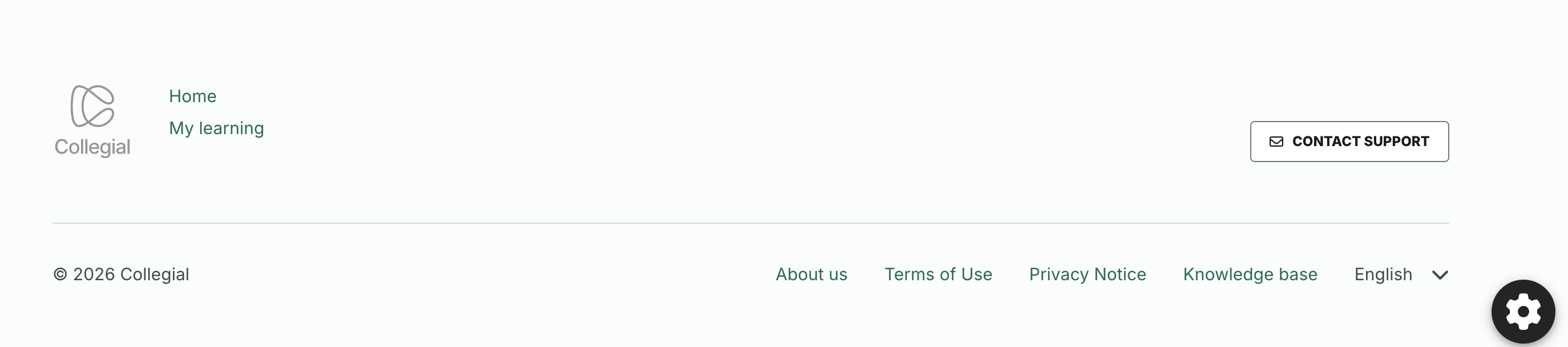
Note that as of the next release, we will remove the "Contact support" button which currently displays in our platform's footer. Instead, our customers are asked to use the support@collegial.com. Those customers interested may request we activate our Support portal for customers requesting it, which is an interface through which submitted support cases can be monitored over time.
We're removing this button in order to improve our internal processes so that we can serve our customers better.
Was this article helpful?
That’s Great!
Thank you for your feedback
Sorry! We couldn't be helpful
Thank you for your feedback
Feedback sent
We appreciate your effort and will try to fix the article